

What is a webhook?
Resend uses webhooks, which are real-time HTTPS requests that tell your application an event occurred, such as an email delivery notification or subscription status update.Why use webhooks?
All webhooks use HTTPS and deliver a JSON payload that can be used by your application. You can use webhook feeds to do things like:- Automatically remove bounced email addresses from mailing lists
- Create alerts in your messaging or incident tools based on event types
- Store all send events in your own database for custom reporting/retention
- Receive emails using Inbound
How to receive webhooks
To receive real-time events in your app via webhooks, follow these steps:1. Create a dev endpoint to receive requests.
In your local application, create a new route that can accept POST requests. For example, you can add an API route:pages/api/webhooks.ts
HTTP 200 OK to signal to Resend that the event was successfully delivered.
2. Add a webhook in Resend.
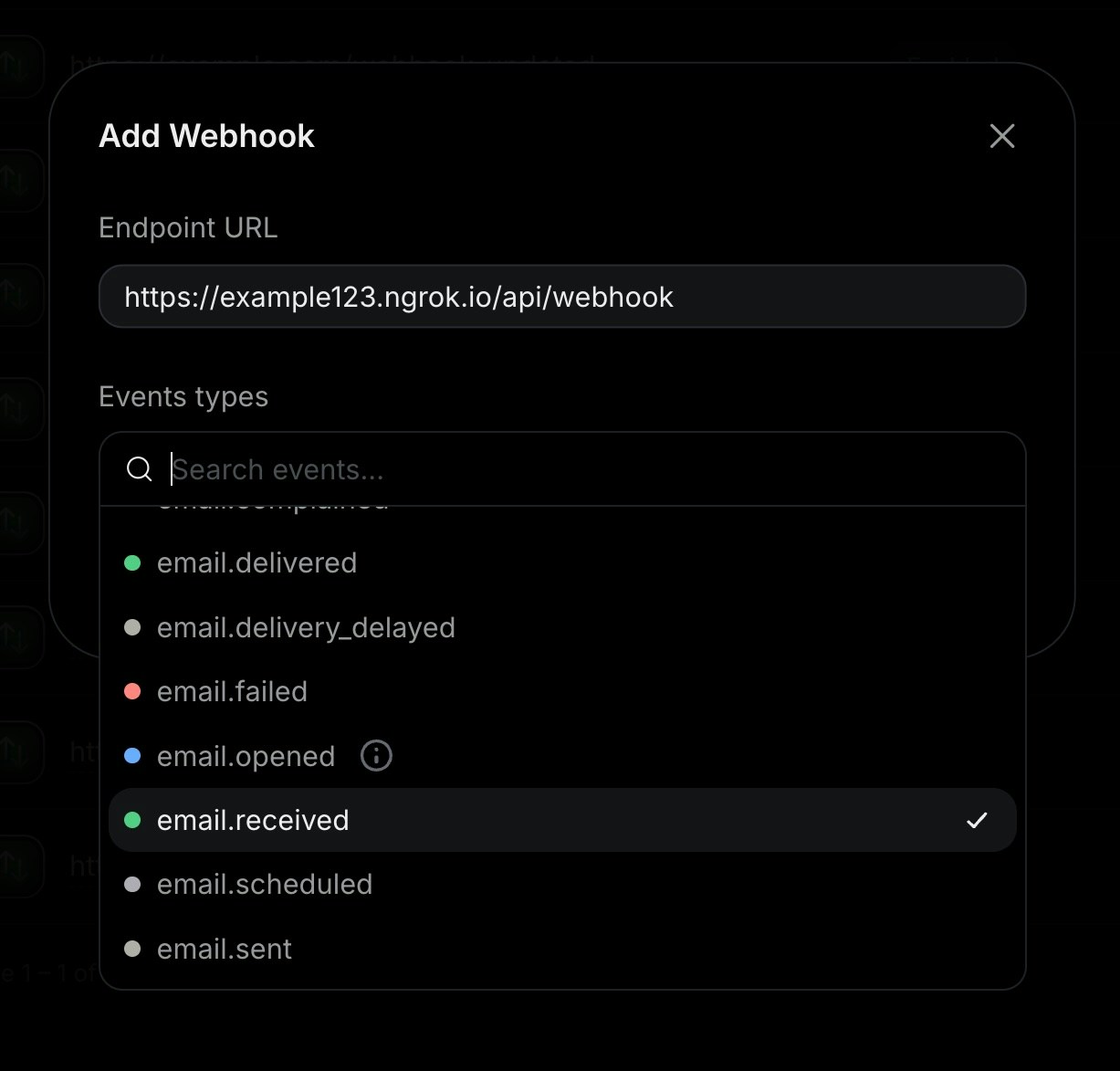
Navigate to the Webhooks page select Add Webhook.- Add your your publicly accessible HTTPS URL
- Select all events you want to observe
3. Test your local endpoint.
To ensure your endpoint is successfully receiving events, perform an event you are tracking with your webhook, like sending an email, creating a contact, or creating a domain. The webhook will send a JSON payload to your endpoint with the event details. For example: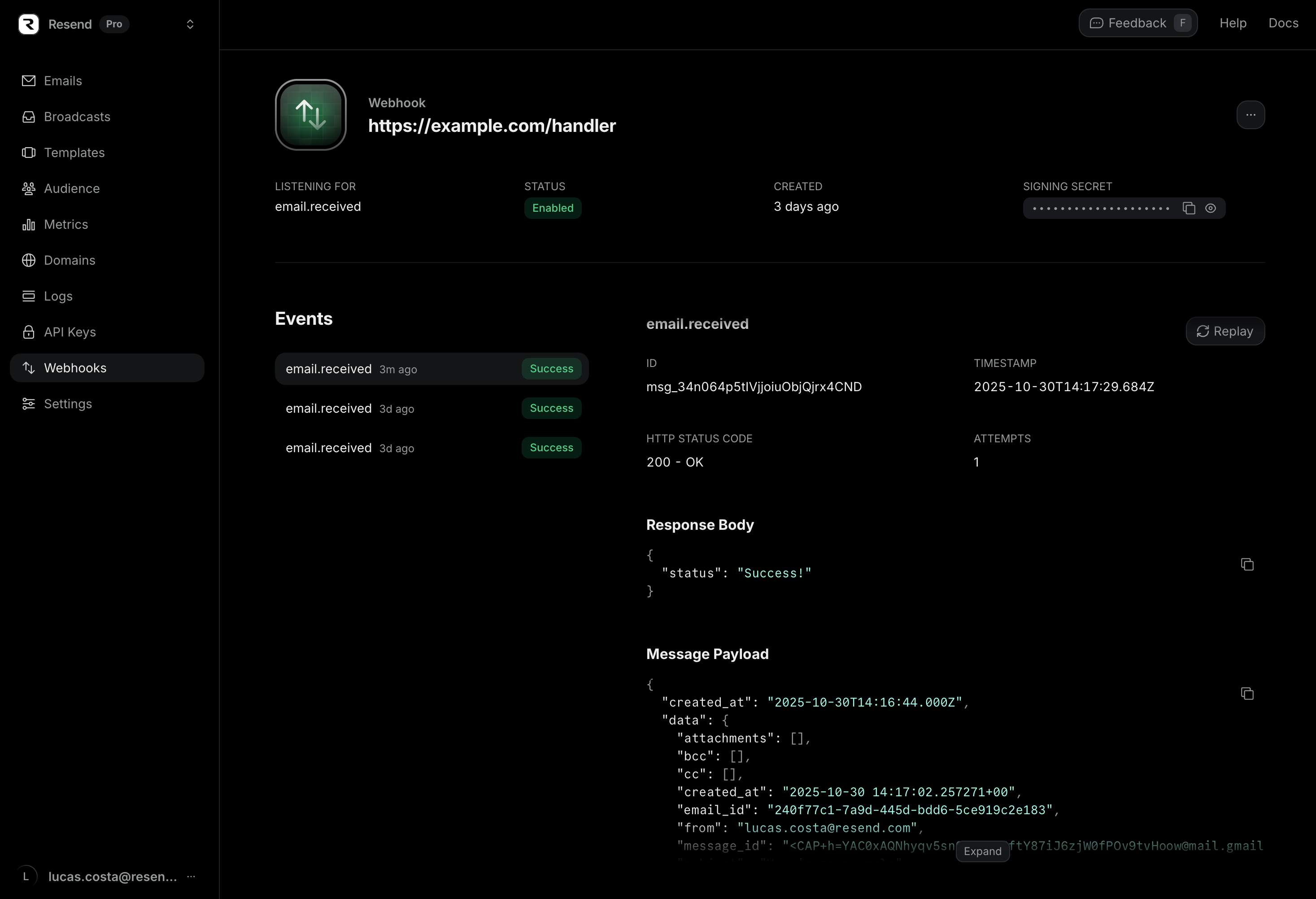
View all possible event types and their webhook payload
responses.
4. Update and deploy your production endpoint.
Once you successfully receive events, update your endpoint to process the events. For example, update your API route:pages/api/webhooks.ts
4. Register your production webhook endpoint
Once your webhook endpoint is deployed to production, you can register it in the Resend dashboard.FAQ
What is the retry schedule?
What is the retry schedule?
If Resend does not receive a 200 response from a webhook server, we will retry the webhooks.Each message is attempted based on the following schedule, where each period is started following the failure of the preceding attempt:
- 5 seconds
- 5 minutes
- 30 minutes
- 2 hours
- 5 hours
- 10 hours
What IPs do webhooks POST from?
What IPs do webhooks POST from?
If your server requires an allowlist, our webhooks come from the following IP addresses:
44.228.126.21750.112.21.21752.24.126.16454.148.139.2082600:1f24:64:8000::/52
Can I retry webhook events manually?
Can I retry webhook events manually?
Yes. You can retry webhook events manually from the dashboard.To retry a webhook event, click to see your webhook details
and then click the link to the event you want to retry.On that page, you will see both the payload for the event
and a button to replay the webhook event and get it sent to
the configured webhook endpoint.
Try it yourself
Webhook Code Example
See an example of how to receive webhooks events for Resend emails.